
UPDATED FOR 2026
Businesses today face a common challenge: too many tools, too many spreadsheets, and not enough visibility into what teams are actually working on. Projects become harder to track, deadlines slip, and communication gets buried across email threads, chat apps, and disconnected systems.
This is exactly the problem Monday.com was designed to solve.
Monday.com has evolved into one of the most widely recognized work management platforms in the world. From startups and marketing agencies to software companies and enterprise organizations, teams use the platform to centralize projects, automate workflows, improve accountability, and gain real-time visibility into their operations.
Start Your Monday.com Free TrialTable of Contents
What Is Monday.com?
Monday.com is a cloud-based Work Operating System (Work OS) designed to help organizations manage projects, workflows, customer relationships, operations, and team collaboration from a single platform.
Unlike traditional project management software that focuses primarily on task lists and deadlines, Monday.com provides a flexible infrastructure that can be customized to fit almost any business process. Teams can build workflows for project management, marketing campaigns, sales pipelines, software development, content production, client onboarding, human resources, and much more.
The platform’s strength lies in its flexibility. Instead of forcing organizations into a predefined structure, Monday.com allows teams to create boards, dashboards, automations, and reports that mirror how they actually work.
Why Businesses Use Monday.com
One of the biggest challenges modern organizations face is fragmentation. Teams often rely on multiple tools that don’t communicate effectively with one another. Project updates might live in spreadsheets, conversations happen in chat applications, files are stored elsewhere, and deadlines are tracked separately.
This creates confusion, delays, and unnecessary administrative work.
Monday.com addresses this challenge by centralizing workflows. Teams gain a single source of truth where project information, timelines, ownership, communication, and reporting can be accessed instantly.
The benefits become increasingly significant as organizations grow. While a small team of three or four people can often manage work informally, larger organizations require systems that create visibility and accountability.
Managers need to know what is being worked on. Executives need performance data. Team members need clear priorities. Monday.com helps deliver all three.
How Monday.com Works
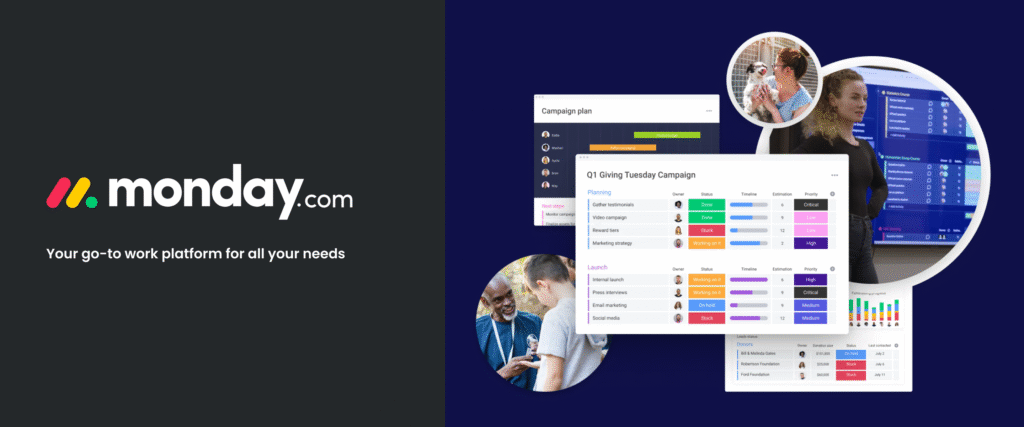
At the heart of Monday.com are customizable boards. These boards function as central workspaces where tasks, projects, processes, and records can be organized and tracked.
Each board contains rows and columns that represent work items and their associated information. Users can add owners, due dates, priorities, statuses, budgets, timelines, files, and custom fields depending on their needs.
This structure enables teams to track complex workflows without sacrificing simplicity. Information remains organized, accessible, and actionable.
Core Features of Monday.com
1. Visual Project Management
Monday.com provides multiple project views that allow teams to manage work from different perspectives.
| View Type | Purpose | Best For |
|---|---|---|
| Kanban | Visual task progression | Agile teams |
| Timeline | Schedule management | Project planning |
| Calendar | Date-focused work | Marketing teams |
| Workload | Resource allocation | Managers |
| Gantt | Project dependencies | Large projects |
These visual options allow stakeholders to choose the perspective most relevant to their role.
2. Custom Workflows
Every business operates differently. Monday.com recognizes this by offering highly customizable workflows. Organizations can build processes tailored to their internal operations instead of adapting to rigid software limitations.
Whether you’re running a digital agency, managing software releases, tracking sales opportunities, or coordinating internal operations, the platform can be configured accordingly.
Monday.com Performance Ratings
These ratings help explain why Monday.com consistently ranks among the most popular work management platforms available today.
Try Monday.com Risk FreeWorkflow Automation: Where Monday.com Delivers the Most Value
While visual project management is often what attracts organizations to Monday.com, automation is what convinces many teams to stay.
In most businesses, employees spend a surprising amount of time performing repetitive administrative work. Updating statuses, sending reminders, assigning tasks, requesting approvals, and following up on deadlines can consume hours every week.
These tasks are important, but they don’t directly contribute to growth, innovation, or customer satisfaction.
Monday.com helps reduce this burden through customizable automation rules that trigger actions automatically when predefined conditions are met.
Common Automation Examples
| Trigger | Automatic Action |
|---|---|
| Status changes to “Complete” | Notify manager automatically |
| Task reaches due date | Send reminder notification |
| New lead enters CRM | Assign sales representative |
| Project approved | Create implementation tasks |
| Support ticket submitted | Route to correct department |
Instead of relying on employees to manually perform these actions, workflows continue moving forward automatically.
This not only saves time but also reduces the risk of human error. Deadlines are less likely to be missed, approvals move faster, and projects maintain momentum.
Team Collaboration and Communication
Collaboration is one of the most critical aspects of successful project execution. Unfortunately, communication often becomes fragmented across multiple platforms.
Team members may discuss projects in chat applications, store files in cloud drives, track tasks in separate systems, and exchange updates through email. This scattered approach makes it difficult to maintain context and visibility.
Monday.com addresses this challenge by bringing communication directly into the workflow.
Collaboration Features
- Task-level discussions
- File attachments
- Team mentions
- Status updates
- Activity history
- Real-time notifications
- Shared dashboards
Because communication remains attached to the work itself, stakeholders can easily understand decisions, project history, and progress without searching through multiple tools.
This centralized approach becomes especially valuable for remote and distributed teams where visibility and accountability are essential.
Reporting and Performance Dashboards
Project management is not simply about tracking tasks. Leaders need visibility into performance, resource allocation, workload distribution, and operational efficiency.
Monday.com offers customizable dashboards that transform raw project data into actionable insights.
Executives, managers, and team leaders can create dashboards that display the metrics most relevant to their objectives.
Popular Dashboard Metrics
| Metric | Purpose |
|---|---|
| Project Completion Rate | Track overall progress |
| Team Workload | Prevent burnout |
| Budget Usage | Monitor spending |
| Time Tracking | Measure efficiency |
| Task Completion Trends | Identify bottlenecks |
These insights help organizations make informed decisions rather than relying on assumptions.
Executive Dashboard Focus Areas
Monday CRM: Beyond Project Management
Many organizations know Monday.com primarily as a project management platform. However, the company has expanded significantly through Monday CRM.
Monday CRM enables businesses to manage leads, sales pipelines, customer interactions, account management, and post-sale processes from the same ecosystem.
Instead of using separate systems for project execution and customer relationship management, businesses can create a more connected workflow.
CRM Capabilities Include:
- Lead tracking
- Sales pipelines
- Contact management
- Email integrations
- Deal monitoring
- Forecasting dashboards
- Activity tracking
For growing businesses, consolidating operational and customer management functions into a single platform can reduce complexity and improve visibility across departments.
How Marketing Teams Use Monday.com
Marketing departments often juggle multiple campaigns, stakeholders, deadlines, content assets, and approval processes simultaneously.
Without a centralized system, projects can quickly become difficult to manage.
Monday.com helps marketing teams organize and execute campaigns more effectively.
Common Marketing Use Cases
| Marketing Activity | How Monday.com Helps |
|---|---|
| Content Calendars | Track publishing schedules |
| Campaign Management | Coordinate teams and assets |
| Social Media Planning | Manage posting workflows |
| Creative Approvals | Streamline review processes |
| Performance Reporting | Monitor campaign results |
By creating standardized workflows, marketing teams reduce delays and maintain better visibility across projects.
How Software Development Teams Use Monday.com
Although platforms like Jira dominate software development, many organizations choose Monday.com because of its flexibility and user-friendly interface.
Development teams can manage sprint planning, bug tracking, feature releases, backlog prioritization, and cross-functional collaboration using customizable workflows.
Engineering managers benefit from greater visibility while developers gain clear priorities and streamlined communication.
Development Workflow Example
This flexibility makes Monday.com attractive for teams seeking a balance between project management functionality and ease of adoption.
Monday.com Pricing Overview
Pricing is one of the most important considerations when evaluating any software platform.
Monday.com offers multiple plans designed to accommodate individuals, small teams, growing businesses, and enterprise organizations.
| Plan | Best For | Key Benefits |
|---|---|---|
| Free | Individuals | Basic work management |
| Basic | Small Teams | Unlimited items and boards |
| Standard | Growing Teams | Timelines and automations |
| Pro | Advanced Organizations | Advanced reporting and integrations |
| Enterprise | Large Businesses | Security and governance controls |
As organizations grow, the value of advanced automations, reporting tools, and integrations often justifies upgrading to higher-tier plans.
Check Current Monday.com PricingMonday.com Alternatives Worth Considering
While Monday.com is one of the strongest work management platforms available, it isn’t necessarily the perfect solution for every organization. Different teams have different priorities, budgets, and workflows.
Fortunately, the project management software market offers several capable alternatives.
| Platform | Best For | Primary Strength | Ease of Use |
|---|---|---|---|
| Monday.com | General Business Teams | Flexibility | ★★★★★ |
| Asana | Marketing Teams | Task Management | ★★★★☆ |
| ClickUp | Power Users | Feature Depth | ★★★☆☆ |
| Trello | Small Teams | Simplicity | ★★★★★ |
| Notion | Documentation | Knowledge Management | ★★★★☆ |
| Jira | Developers | Agile Development | ★★★☆☆ |
For most organizations seeking a balance between functionality and usability, Monday.com remains one of the strongest choices available. It offers significantly more flexibility than Trello, a lower learning curve than ClickUp, and broader workflow customization than many competing platforms.
Monday.com Pros and Cons
Every software platform has strengths and weaknesses. Understanding both sides helps organizations make informed decisions before investing time and resources into implementation.
Pros
- Extremely intuitive interface
- Highly customizable workflows
- Excellent automation capabilities
- Powerful dashboards and reporting
- Strong integration ecosystem
- Supports multiple industries
- Scales effectively with growth
- Excellent collaboration features
- Suitable for technical and non-technical users
Cons
- Advanced plans can become expensive
- Some automation limits on lower tiers
- Complex workflows require planning
- Enterprise features increase costs
- May offer more functionality than small teams need
Monday.com vs Traditional Project Management Methods
Many businesses still rely on spreadsheets, email chains, and disconnected software tools to manage projects. While these approaches may work for very small teams, they often become problematic as organizations grow.
| Category | Spreadsheets | Monday.com |
|---|---|---|
| Real-Time Collaboration | Limited | Excellent |
| Automation | Minimal | Advanced |
| Reporting | Manual | Automatic |
| Project Visibility | Moderate | High |
| Scalability | Limited | Excellent |
| Cross-Team Coordination | Difficult | Simple |
| Workflow Customization | Low | High |
As operational complexity increases, dedicated work management platforms often provide significantly greater visibility and efficiency compared to traditional tools.
Industries That Benefit Most from Monday.com
One of Monday.com’s biggest strengths is its adaptability. Unlike highly specialized software, it can be configured for a wide range of industries.
| Industry | Primary Use Case |
|---|---|
| Marketing Agencies | Campaign planning and client management |
| Software Companies | Sprint tracking and release planning |
| Consulting Firms | Project delivery and resource allocation |
| Ecommerce Brands | Operations and inventory workflows |
| HR Departments | Recruitment and onboarding |
| Sales Organizations | Pipeline and lead management |
| Construction Teams | Project coordination and scheduling |
| Education Providers | Program and administrative planning |
Frequently Asked Questions
Is Monday.com suitable for small businesses?
Yes. Small businesses often benefit from improved organization, centralized project tracking, and automation. The platform can scale alongside company growth.
Can Monday.com replace spreadsheets?
In many cases, yes. Organizations frequently migrate project tracking, operational workflows, CRM processes, and reporting activities from spreadsheets into Monday.com.
Does Monday.com integrate with existing software?
Yes. The platform supports integrations with hundreds of popular business tools, including communication, CRM, marketing, and productivity platforms.
Is Monday.com difficult to learn?
Most users find Monday.com easier to learn than many competing enterprise work management systems. Its visual interface helps reduce onboarding time.
Can remote teams use Monday.com effectively?
Absolutely. Centralized communication, task ownership, project visibility, and reporting make it particularly valuable for distributed teams.
Is Monday.com worth the cost?
For organizations managing multiple projects and teams, the time savings and operational improvements often justify the investment.
Overall Evaluation Score
| Category | Score |
|---|---|
| Ease of Use | 9.5/10 |
| Workflow Flexibility | 9.4/10 |
| Automation | 9.0/10 |
| Reporting | 9.2/10 |
| Collaboration | 9.4/10 |
| Integrations | 9.4/10 |
| Overall Value | 8.8/10 |
| Overall Rating | 9.3/10 |
Final Verdict
Monday.com has earned its position as one of the leading work management platforms in the market. Its combination of usability, flexibility, automation capabilities, and reporting tools makes it attractive to organizations across virtually every industry.
What separates Monday.com from many competitors is its ability to serve multiple business functions from a single ecosystem. Teams can manage projects, coordinate operations, track customer relationships, automate workflows, and generate executive-level reports without relying on multiple disconnected systems.
For startups, it offers simplicity and scalability. For growing businesses, it provides structure and visibility. For larger organizations, it delivers governance, automation, and operational oversight.
No software platform is perfect, and organizations with highly specialized requirements may ultimately choose alternative solutions. However, for businesses seeking a flexible, modern, and user-friendly work management platform, Monday.com remains one of the strongest options available today.
This article contains affiliate links. If you sign up for Monday.com through one of these links, we may earn a commission at no additional cost to you. This helps support our content and allows us to continue publishing detailed software reviews and business resources.